One Content Calendar Planner for every channel
Plan blog posts, Newsletter issues, YouTube videos, TikTok clips, Instagram posts, and X updates together instead of keeping separate small tools.
Content Calendar Planner
Your content calendar is generated locally from your own topics and schedule. No social media login is required. Enter your content platforms, topics, publishing frequency, start date, and planning period to create one combined blog, Newsletter, YouTube, TikTok, Instagram, and X publishing calendar.
Free - Browser generated - No social media login
Use this Content Calendar Planner as one combined Social Media Calendar Planner, Blog Content Calendar, Newsletter Calendar, YouTube Content Planner, and TikTok Content Planner. It creates a practical publishing calendar locally in your browser instead of splitting your workflow across smaller tools.
Content platforms
Choose every channel you want in the same Content Calendar Planner result.
Use topics you already care about. This tool does not fetch trending topics or keyword data.
Posts per selected platform per week. Lower this if the result feels too crowded.
The Content Calendar Planner groups writing, recording, editing, and asset prep around this weekly batch day.
Generated locally from your inputs. Adjust platforms, topics, frequency, dates, or print style and generate again whenever your publishing rhythm changes.
This Content Calendar Planner does not scrape trending topics, query keyword search volume, call social media APIs, predict traffic, or auto-publish content. Those tasks are data-heavy and require third-party platform access, accounts, APIs, or analytics systems, so they do not fit a pure frontend planner.
Print style
The Content Calendar Planner combines a Social Media Calendar Planner, Blog Content Calendar, Newsletter Calendar, YouTube Content Planner, and TikTok Content Planner in one browser-based tool.
Choose blogs, Newsletter, YouTube, TikTok, Instagram, X, or any mix of channels. The Content Calendar Planner uses your own themes, frequency, start date, and planning period instead of pulling trends from outside platforms.
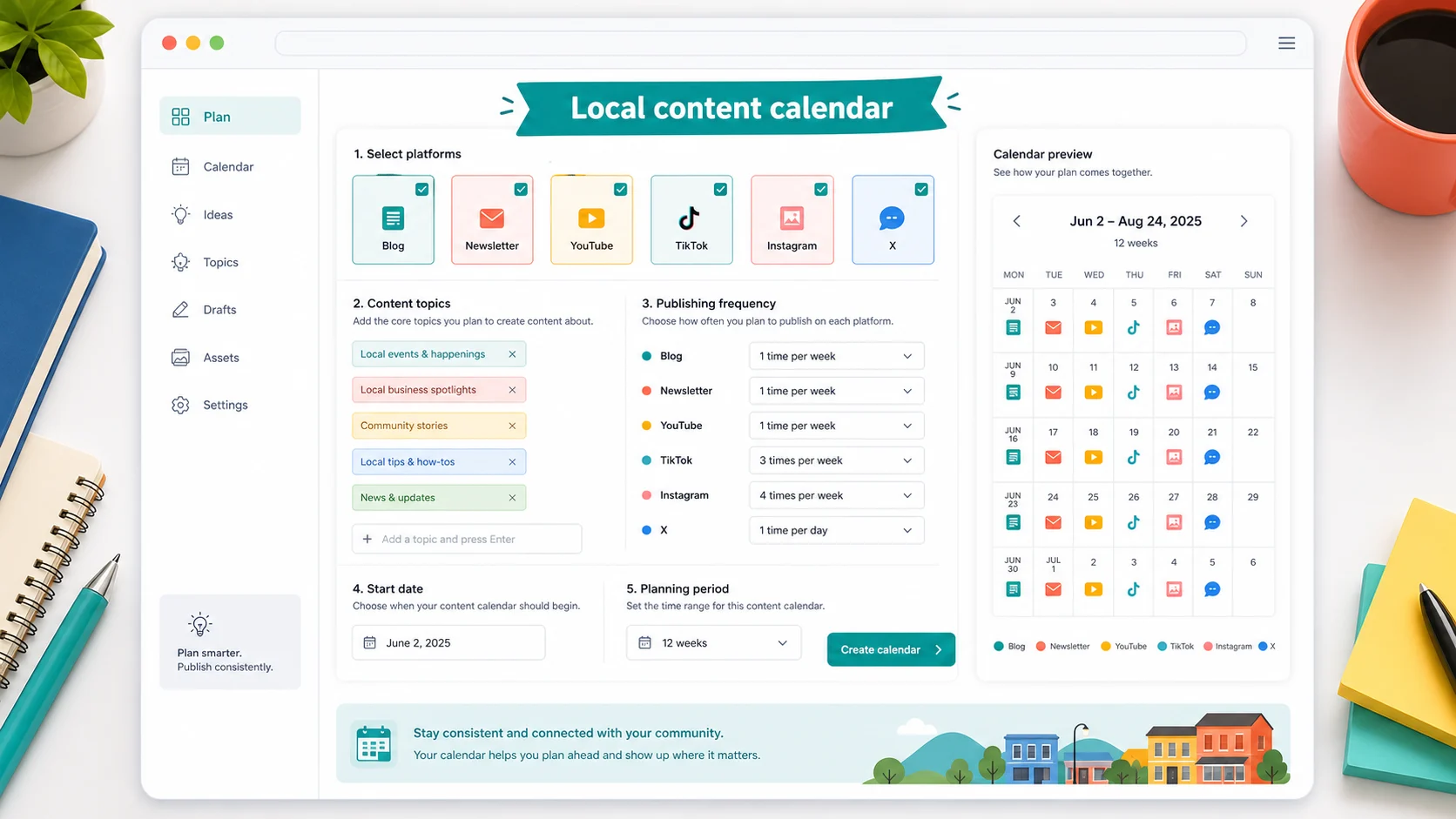
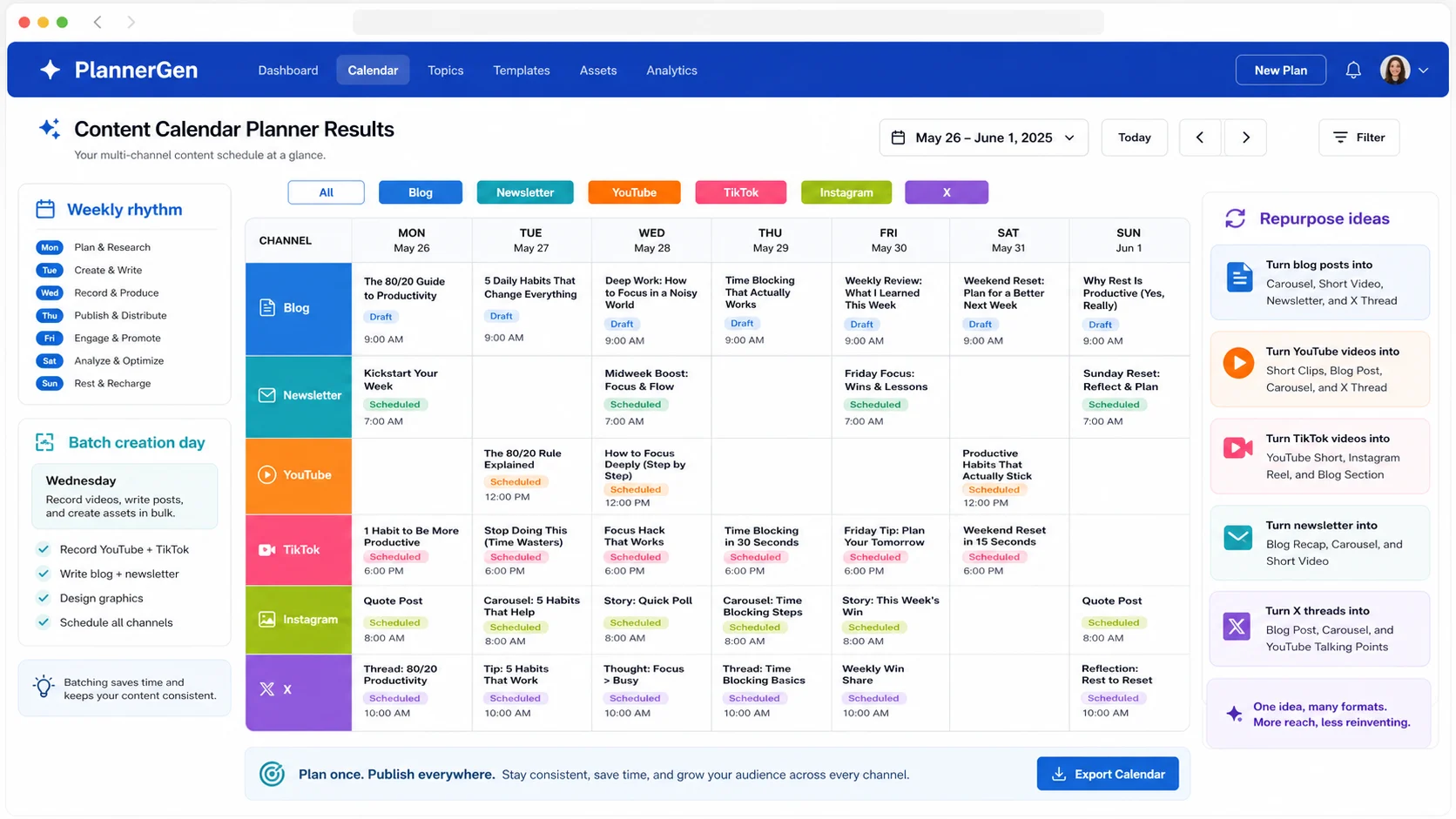
The generated result includes a publishing calendar, content themes, content types, title drafts, batch creation days, content repurposing suggestions, weekly rhythm, Markdown table, CSV export, and copy-ready plan.
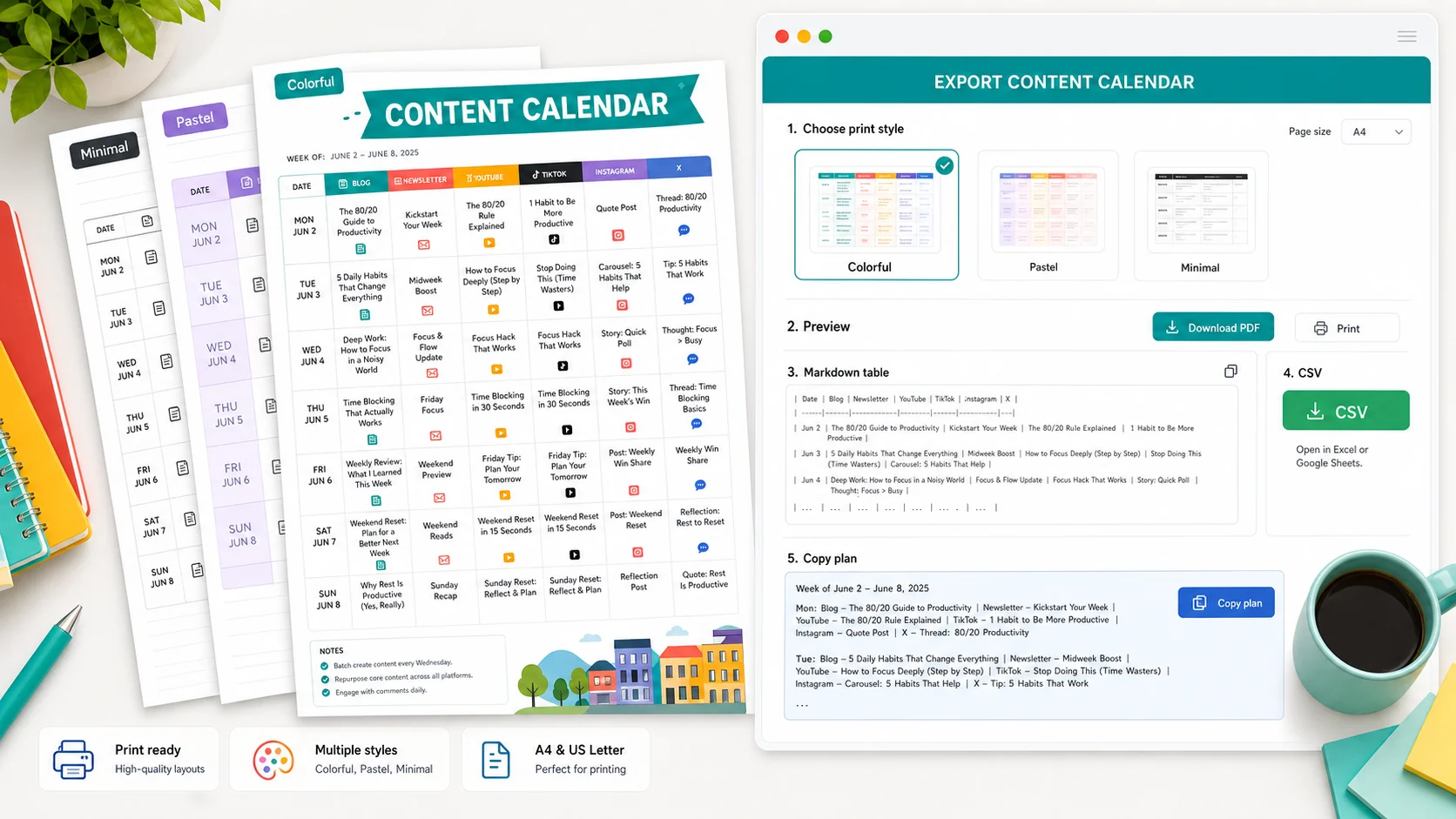
Choose Market Color, Studio Violet, Citrus Sprint, Coral Launch, Garden Queue, or Clean Monochrome before printing or exporting your Content Calendar Planner result.
A blank content calendar template still makes you decide the rhythm. This Content Calendar Planner gives you a first schedule from your real topics and platforms.
Plan blog posts, Newsletter issues, YouTube videos, TikTok clips, Instagram posts, and X updates together instead of keeping separate small tools.
The Content Calendar Planner suggests how to turn one idea into long-form, short-form, newsletter, visual, and discussion formats.
Copy a Markdown table, download a CSV file, or copy the whole content plan into Notion, Google Docs, Sheets, Airtable, or your editorial workflow.
This pure frontend tool does not scrape trends, query keyword volume, call social APIs, predict traffic, or auto-publish posts.
Create a useful Content Calendar Planner result in three quick steps.
The Content Calendar Planner needs your channels, content themes, publishing frequency, start date, planning period, and batch creation day. Use topics you already want to cover.
Check the publishing calendar, themes, content types, title drafts, batch creation days, weekly rhythm, repurposing suggestions, Markdown table, CSV export, and copy-ready plan.
Regenerate if the calendar feels too crowded, too sparse, or mismatched to your actual content capacity.
Print a colorful calendar, copy the plan into your workspace, or export CSV for a spreadsheet. Then revise the next Content Calendar Planner run based on what you actually published.
A content calendar works best when batch creation, repurposing, and review time are visible on the same plan.
Generate my content calendarPractical answers about inputs, output quality, privacy, printing, export, customization, and pure frontend boundaries.
The Content Calendar Planner creates a publishing calendar, content themes, content types, title drafts, batch creation days, content repurposing suggestions, weekly publishing rhythm, a Markdown table, CSV export, and a copy-ready content plan.
Yes. The Content Calendar Planner generates the calendar in your browser from the platforms, topics, dates, and frequency you enter. No social media login is required.
No. This Content Calendar Planner does not scrape trending topics, query keyword search volume, or call social media APIs. It schedules the topics you provide because trend and keyword data require third-party data sources.
No. The Content Calendar Planner does not auto-publish to Blog platforms, Newsletter tools, YouTube, TikTok, Instagram, X, or any other platform. Auto-publishing requires accounts, permissions, API integrations, and platform-specific rules.
Yes. Blog and Newsletter are built into the same Content Calendar Planner result, so you can plan long-form posts, email issues, titles, batch days, and repurposing alongside social and video channels.
Yes. The Content Calendar Planner includes YouTube and TikTok content types, draft titles, batch creation days, and repurposing ideas without requiring a video platform login.
Yes. Change platforms, topics, publishing frequency, start date, planning period, batch day, or print style and generate again. The Content Calendar Planner updates the schedule instantly.
Yes. You can print the Content Calendar Planner result in several colorful styles, copy the full plan, copy the Markdown table, or export CSV for spreadsheets.
The Content Calendar Planner is free, local, and designed for creators, marketers, founders, and teams who need one publishing rhythm across channels.
Enter your platforms, topics, frequency, start date, and planning period to leave with a copy-ready, printable content calendar.
Free - No sign-up - Browser generated