Debt Payoff Planner
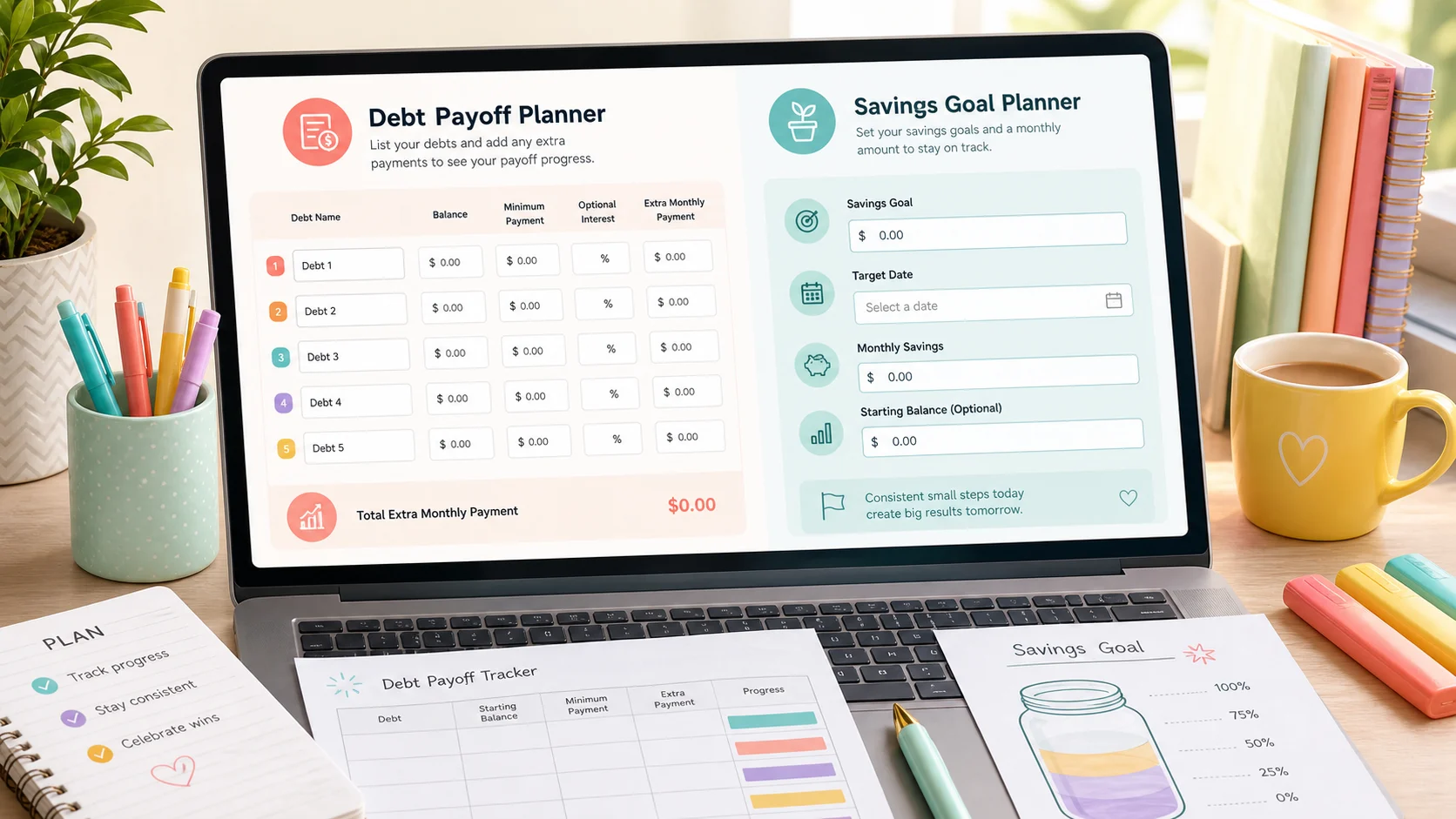
See every debt, balance, minimum payment, optional rate, total minimums, extra payoff amount, and projected payoff path in one printable result.
Debt Payoff and Savings Plan Generator
This planner uses only the balances, payments, and optional interest rates you enter. It is not financial advice and does not connect to banks or credit bureaus.
Free · Local browser tool · Printable
Enter each debt, the minimum payment, optional interest rate, extra payoff money, and your savings goal. This planner creates a local month-by-month payoff and savings plan you can print.
Used for monthly payoff and savings progress rows.
This amount is added after minimum payments and rolls forward as debts are paid.
Debt list
Add debt name, balance, minimum payment, and an optional annual interest rate.
Target amount for your savings goal planner.
The amount you plan to set aside each month.
Optional starting balance for savings and emergency fund progress.
Optional. If blank, the savings goal is used as the emergency fund target.
The result still shows both order lists. This choice controls the detailed monthly payoff plan.
This tool does not make loan recommendations, calculate credit scores, forecast investment returns, query bank rates, provide debt restructuring advice, or recommend financial products. Those areas require financial advice, real-time rates, or third-party financial data, so this pure front-end planner stays limited to the numbers you enter.
Print style
Use one page for debt payoff planning, snowball and avalanche order comparison, emergency fund progress, and savings goal tracking.
This planner asks for debt names, balances, minimum payments, optional rates, extra payoff money, savings goal, current savings, monthly savings, and an emergency fund target in one place.
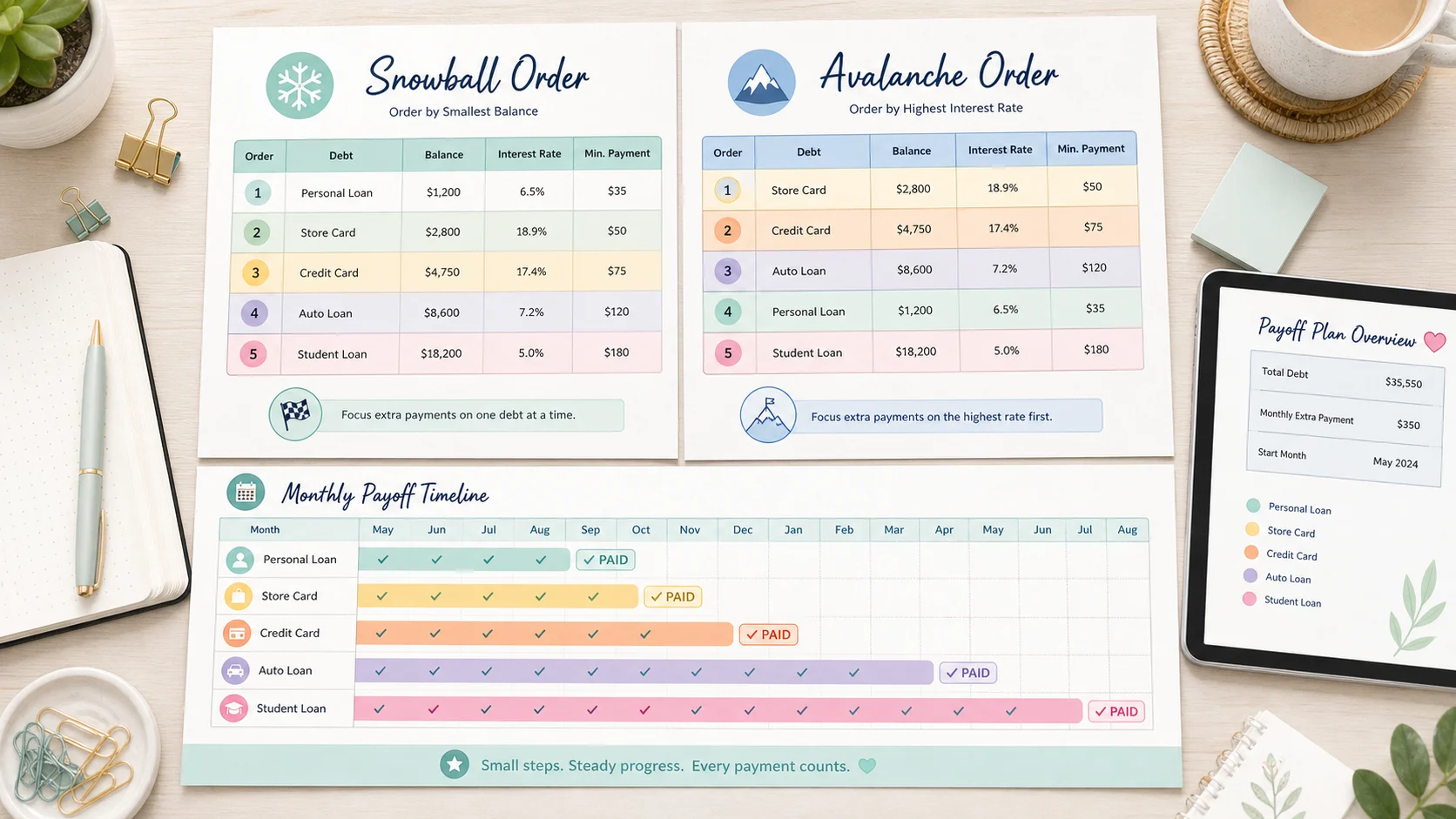
The result shows a Debt Snowball Calculator-style smallest-balance order and a Debt Avalanche Planner-style highest-rate order, then builds the detailed monthly schedule using the method you choose.
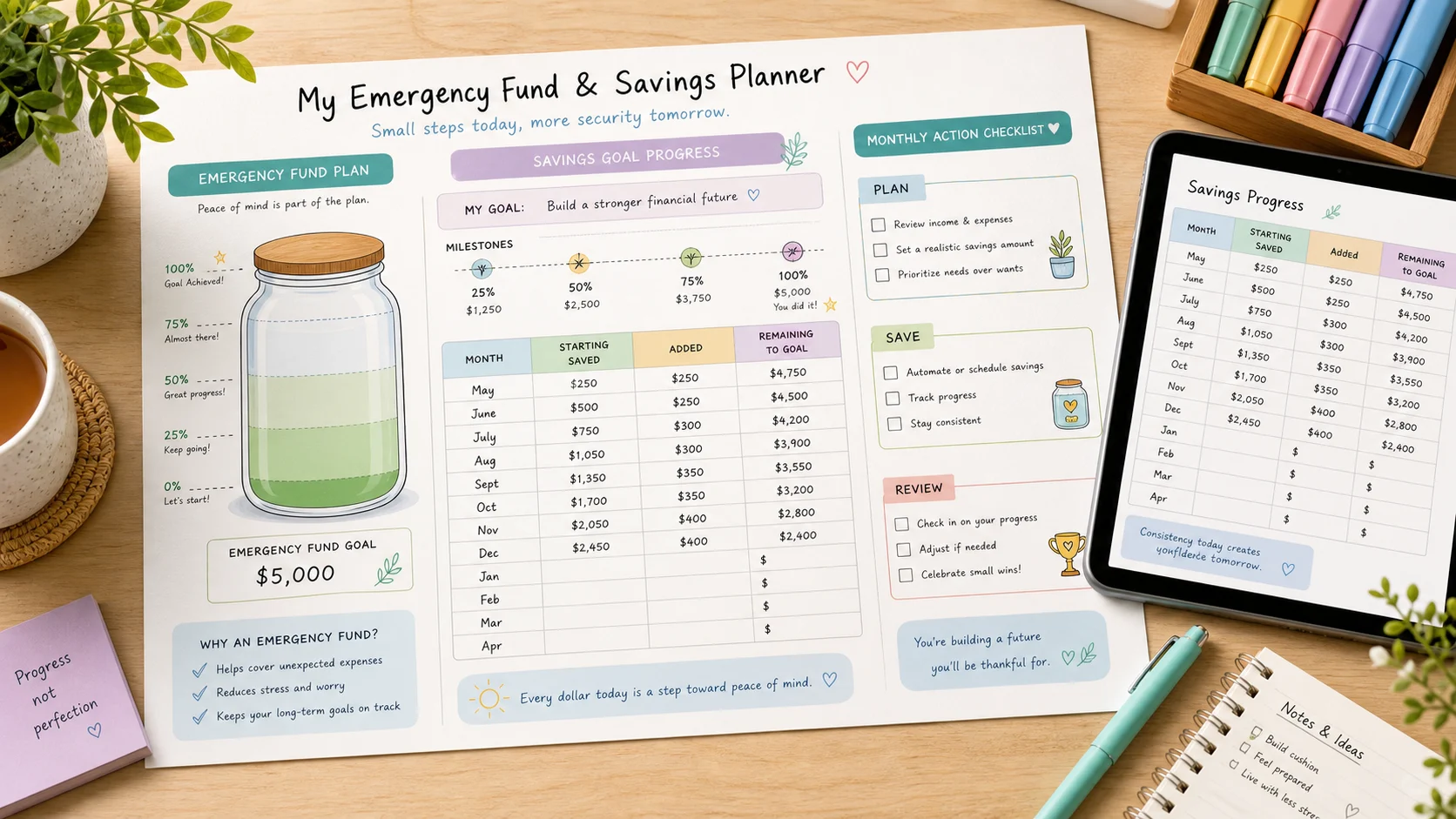
It also works as an Emergency Fund Planner and Savings Goal Planner, with monthly progress rows, milestones, and a calm action checklist for each month.
One local browser planner combines the practical pieces people usually split across several calculators.
See every debt, balance, minimum payment, optional rate, total minimums, extra payoff amount, and projected payoff path in one printable result.
Sort debts by smallest balance first and see how freed-up payments can roll to the next focus debt in the monthly plan.
Sort debts by the highest optional interest rate first when you enter rates, while still keeping the monthly schedule local to your browser.
Track current savings, a monthly savings amount, emergency fund milestones, savings goal progress, and a printable monthly action checklist.
Start with the numbers you already know, then regenerate whenever a balance, payment, or savings target changes.
List each debt name, balance, minimum payment, and optional annual rate. The planner does not look up rates or connect to accounts.
Enter the extra amount you want applied after minimum payments, plus your savings goal, current savings, monthly savings amount, and optional emergency fund target.
The planner treats these as user-entered planning assumptions, not recommendations.
The result includes debt lists, payoff order, monthly payments, estimated payoff time, savings progress, emergency fund milestones, and a monthly action checklist.
After a payment posts, update the balances and regenerate so the next printed plan reflects reality.
Generate the planPractical answers about inputs, privacy, print styles, assumptions, and financial-advice boundaries.
No. It organizes the balances, payments, optional rates, extra payoff amount, and savings numbers you enter. It does not recommend loans, credit products, investments, restructuring, or financial products.
No. It runs in your browser and uses only the numbers you type into the form. It does not connect to banks, credit bureaus, lenders, or third-party financial data providers.
Yes. The result shows both the snowball order by smallest balance and the avalanche order by highest optional rate. You choose which method controls the detailed monthly payoff plan.
No. Interest rates are optional. If you leave rates blank or set them to zero, the planner still builds payoff order, minimum payment summaries, monthly payment rows, and savings progress from your entered balances and payments.
Enter a current savings amount, monthly savings amount, and emergency fund target. The planner shows milestones and estimated months based only on those inputs. It does not decide how large your emergency fund should be.
Yes. After generating, choose from several soft, colorful print styles or a simple ledger style, then print the debt list, payoff order, monthly plan, savings progress, emergency fund plan, and action checklist.
Update the changed balance, minimum payment, extra payoff amount, or savings amount and generate again. This keeps the plan aligned with the numbers you enter instead of pretending the old plan is still current.
It avoids loan recommendations, credit scoring, investment return forecasts, bank rate lookups, debt restructuring advice, and financial product recommendations because those require financial advice, real-time data, or third-party financial systems.
Use this planner to turn your entered balances, payments, optional rates, and savings goals into a printable month-by-month plan.
No sign-up, no bank connection, no credit bureau connection. Just a local planner built from your numbers.
Free · Local browser tool · Not financial advice