Project planner plus timeline generator
The Project Timeline Planner combines project phases, task order, weekly focus, milestones, launch checks, risk warnings, copy text, and printable output in one page.
Project Timeline Planner
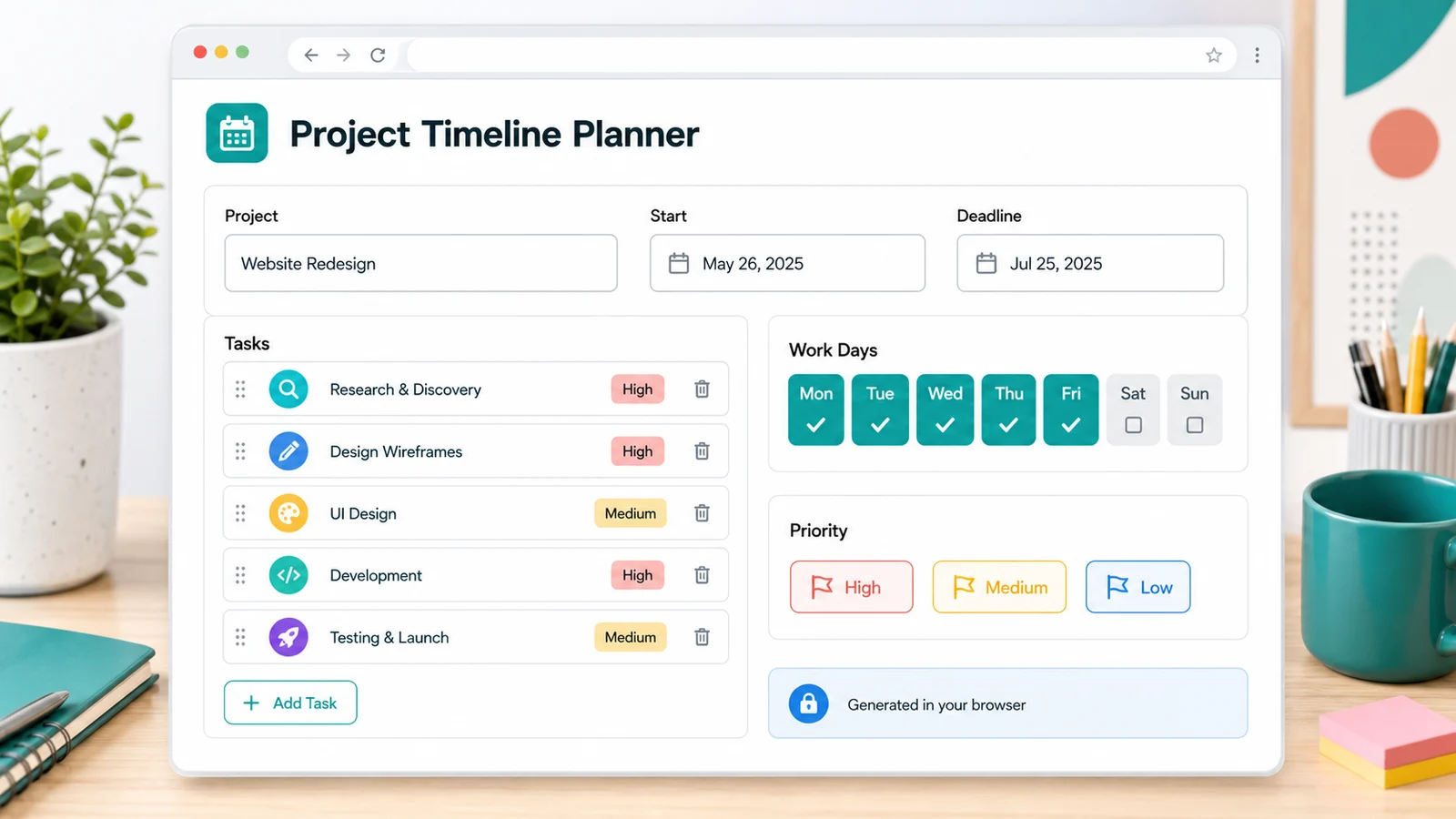
Project timelines are generated in your browser. No project management account is required. Enter your project name, dates, major tasks, work days, and priorities to create phases, task order, milestones, weekly focus, launch checks, delay risks, and a printable timeline.
Free - Browser generated - No project management account
Use the Project Timeline Planner as one combined Project Planner, Project Timeline Generator, Milestone Planner, Launch Plan Generator, and Sprint Plan Generator. It creates a practical project plan locally in your browser, without asking you to connect a project management account.
Use a specific project name so the copied plan is ready to paste into a brief or status update.
Major tasks
Add the main tasks that must happen before launch, then give each task a priority.
The Project Timeline Planner uses this to estimate weekly capacity and delay risk.
Task priority
High-priority tasks are scheduled earlier. Medium and low priorities fill the timeline around the critical path.
Generated locally from your inputs. Adjust dates, tasks, work days, or priorities and generate again whenever the project changes.
This Project Timeline Planner does not sync with Jira, Trello, Notion, or any other project management system. It does not provide team collaboration, multiple user accounts, cloud Gantt charts, automatic resource allocation, dependency engines, or live workload balancing. Those features need a backend, account system, saved cloud data, or third-party APIs, so they do not fit a pure frontend website.
Print style
The Project Timeline Planner combines a project planner, project timeline generator, milestone planner, launch plan generator, and sprint plan generator into one browser-based tool.
Enter the project name, start date, deadline, major tasks, weekly work days, and task priorities. The Project Timeline Planner uses those details instead of giving you a generic template.
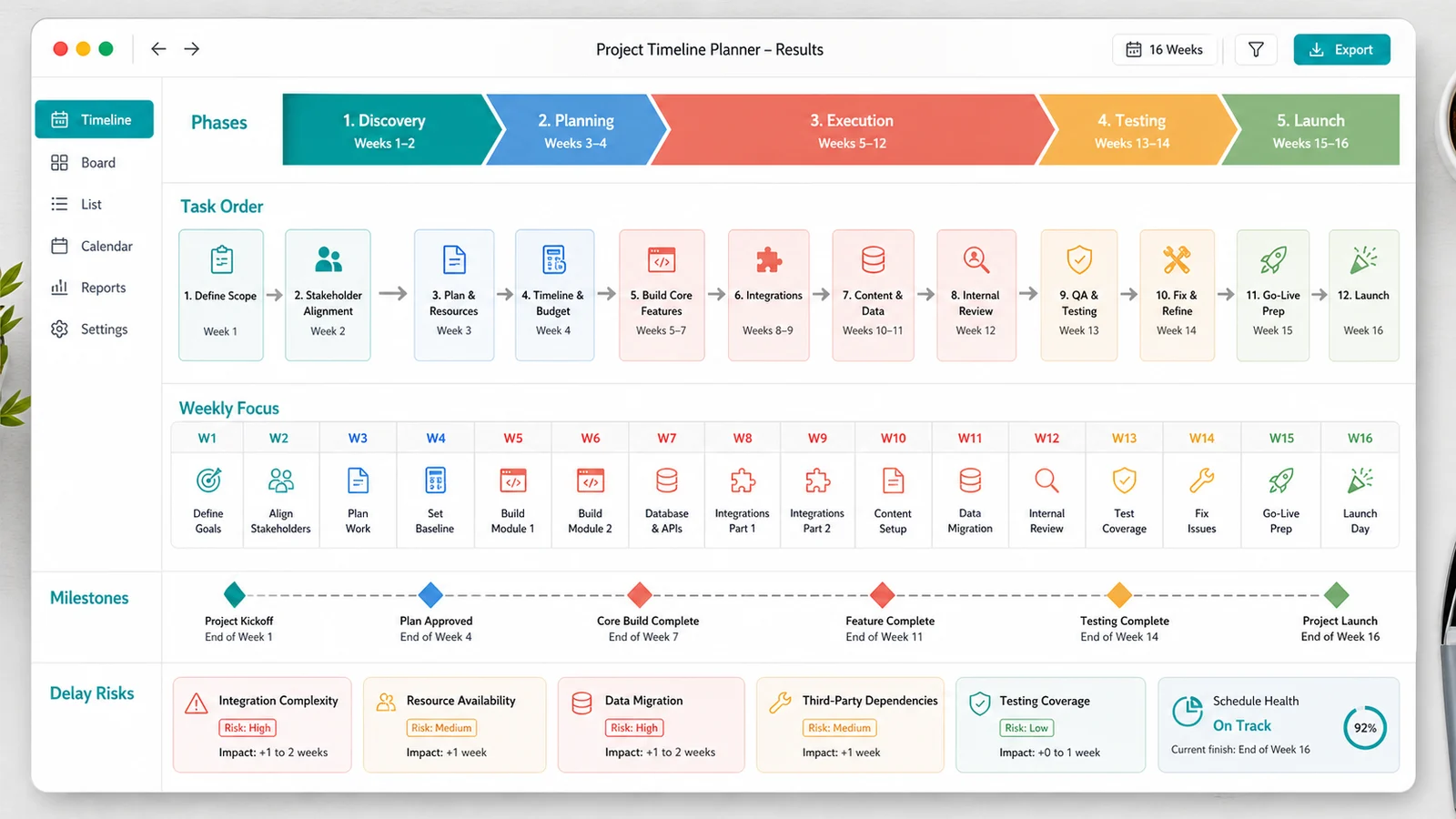
The generated result includes project phases, a task list, task order, weekly focus, milestones, a pre-launch checklist, delay risk warnings, and a copy-ready project plan.
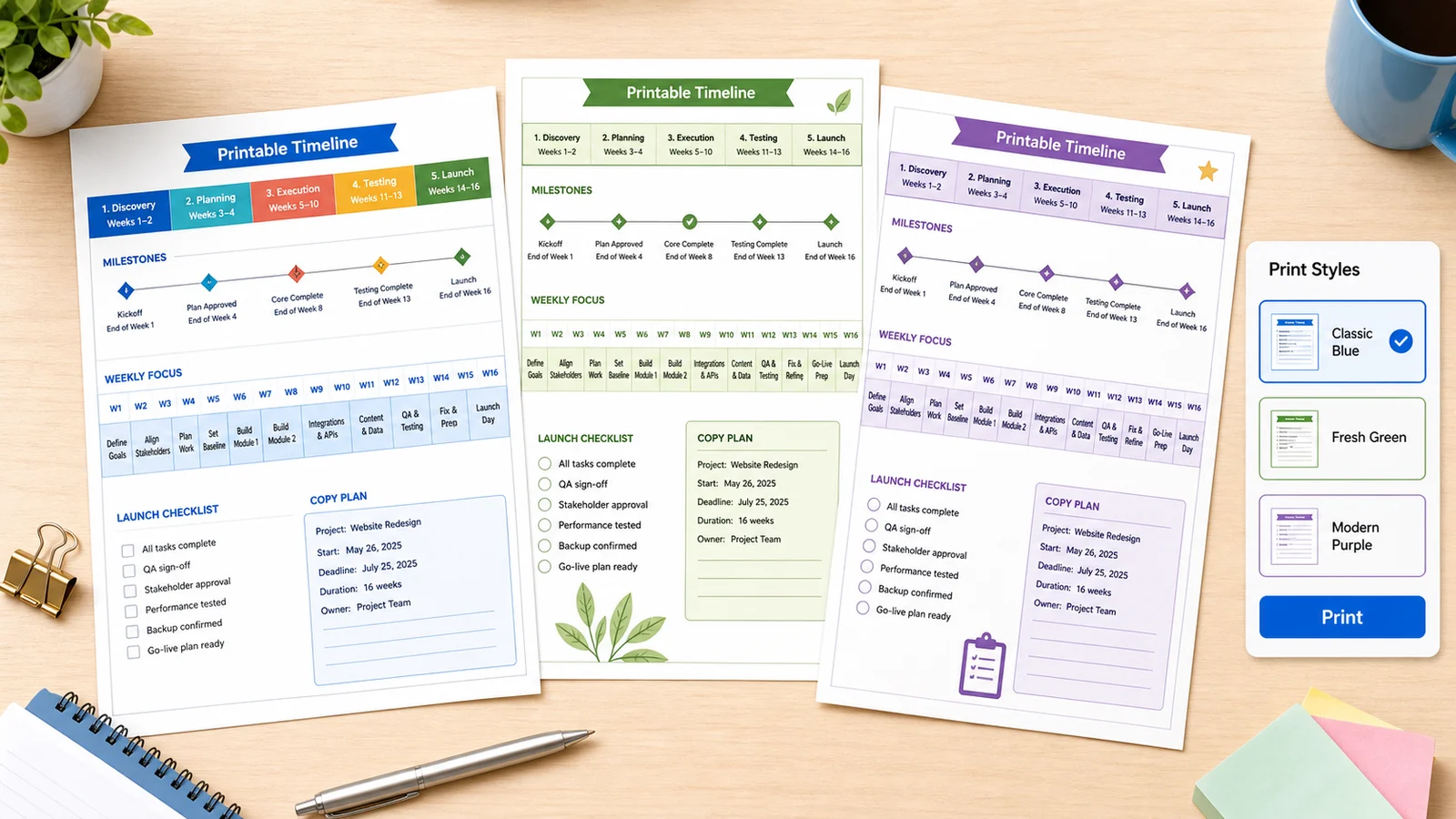
Choose Ocean Timeline, Garden Milestones, Sunrise Launch, Lavender Sprint, Citrus Checklist, Coral Roadmap, or Clean Monochrome before printing your project timeline.
A blank project template still makes you decide the structure. This Project Timeline Planner gives you a first timeline from your real dates, tasks, work days, and priorities.
The Project Timeline Planner combines project phases, task order, weekly focus, milestones, launch checks, risk warnings, copy text, and printable output in one page.
Phase endings become milestone dates, so the Project Timeline Planner gives you checkpoints without asking you to build a separate milestone plan.
The pre-launch checklist helps you confirm scope, high-priority tasks, blockers, notes, final review, and fallback scope before the deadline.
This pure frontend tool does not sync with Jira, Trello, Notion, team accounts, cloud Gantt charts, or automatic resource allocation.
Create a practical Project Timeline Planner output in three short steps.
The Project Timeline Planner needs the project name, start date, deadline, major tasks, weekly work days, and task priorities. Keep the task list at the level you would use in a status update.
Check the phases, task list, task order, weekly focus, milestones, pre-launch checklist, delay risks, copy-ready project plan, and printable project timeline before using the result.
Regenerate when the result feels too crowded, too loose, or missing an important task.
Copy the plan into your notes or print a colorful timeline for review. Each week, compare planned focus with real progress and simplify the next set of tasks.
A static timeline is most useful when you revise it after real progress, blockers, and scope changes.
Generate my project timelinePractical answers about inputs, output quality, privacy, printing, customization, and pure frontend boundaries.
The Project Timeline Planner creates project phases, a task list, task order, weekly focus, milestones, a pre-launch checklist, delay risk warnings, a copy-ready project plan, and a printable project timeline.
Yes. Project timelines are generated in your browser. No project management account is required, and the plan is created from the information you enter on the page.
No. This Project Timeline Planner does not sync with Jira, Trello, Notion, or cloud Gantt tools. It does not provide team collaboration, multiple accounts, saved cloud data, or third-party API integrations.
Yes. The milestone section uses phase endpoints and the final launch date to create clear checkpoints, so the Project Timeline Planner can work as a lightweight milestone planner.
Yes. The Project Timeline Planner includes a pre-launch checklist for scope, high-priority tasks, blockers, release or handoff notes, final review, and fallback scope.
The output is a practical first draft based on your dates, work days, tasks, and priorities. It cannot know hidden dependencies, team availability, resource conflicts, or external delays unless you add them as tasks or adjust the plan manually.
Yes. Change the dates, weekly work days, task list, or priorities and generate again. The Project Timeline Planner updates the phases, task order, milestones, risks, and printable timeline instantly.
Yes. Choose from colorful print styles such as Ocean Timeline, Garden Milestones, Sunrise Launch, Lavender Sprint, Citrus Checklist, Coral Roadmap, or Clean Monochrome, then print the project timeline.
The Project Timeline Planner is free, local, and designed for a useful project timeline without a project management account.
Enter your project name, dates, tasks, work days, and priorities to leave with a copy-ready, printable timeline.
Free - No sign-up - Browser generated