Morning and evening routines included
The Daily Routine and Time Blocking Planner reserves simple morning and evening flows so the day has a clear start and close, not just scattered tasks.
Daily Routine and Time Blocking Planner
Enter your wake time, sleep time, work or class hours, fixed events, goals, and break rhythm. The Daily Routine and Time Blocking Planner builds a practical day or week locally in your browser.
Your routine is generated locally in your browser. No account or calendar connection is required.
Use the Daily Routine and Time Blocking Planner to combine a daily routine planner, time blocking planner, morning routine planner, evening routine planner, and weekly routine planner in one local browser tool.
Plan range
Work or class days
Break every
Fixed events
Put one goal per line. The planner places goals into focus blocks before or after fixed commitments.
Generated locally. Adjust inputs and generate again whenever your day changes.
This Daily Routine and Time Blocking Planner does not sync Google Calendar, send reminders, create accounts, run long-term check-ins, or store a habit database. Those features need external accounts, a backend, or long-term storage, so they do not fit a pure frontend planner.
Print style
The Daily Routine and Time Blocking Planner turns messy availability into a routine you can actually follow.
The Daily Routine and Time Blocking Planner asks for the details that shape your real day: sleep window, work or class hours, fixed appointments, daily goals, and break frequency.
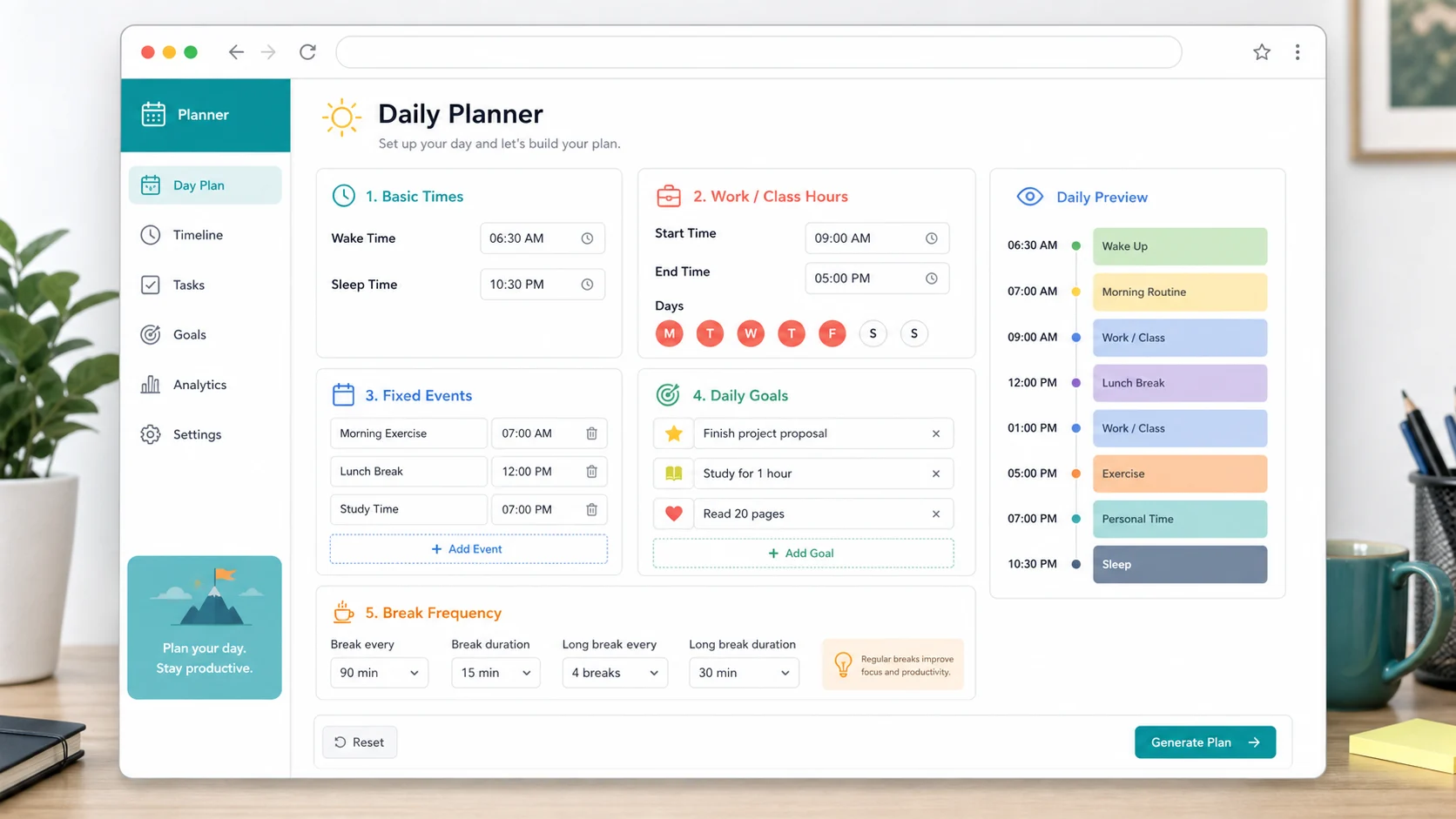
The Daily Routine and Time Blocking Planner places priority work into focus blocks, adds break blocks at your chosen rhythm, and leaves visible free time instead of hiding it.
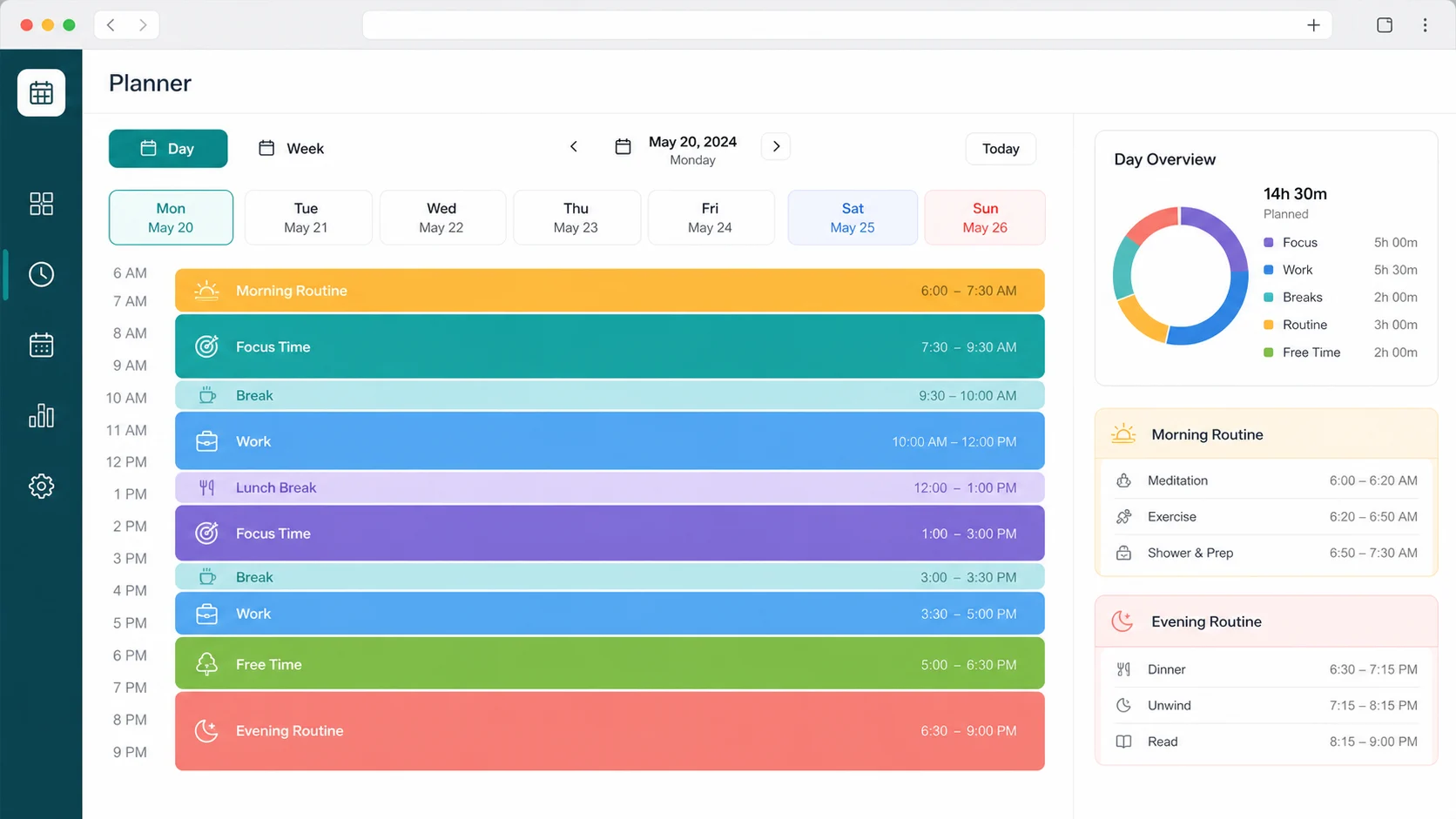
The Daily Routine and Time Blocking Planner gives you a copy-ready schedule and a printable timetable with colorful styles for desk planning, wall posting, or a weekly review.
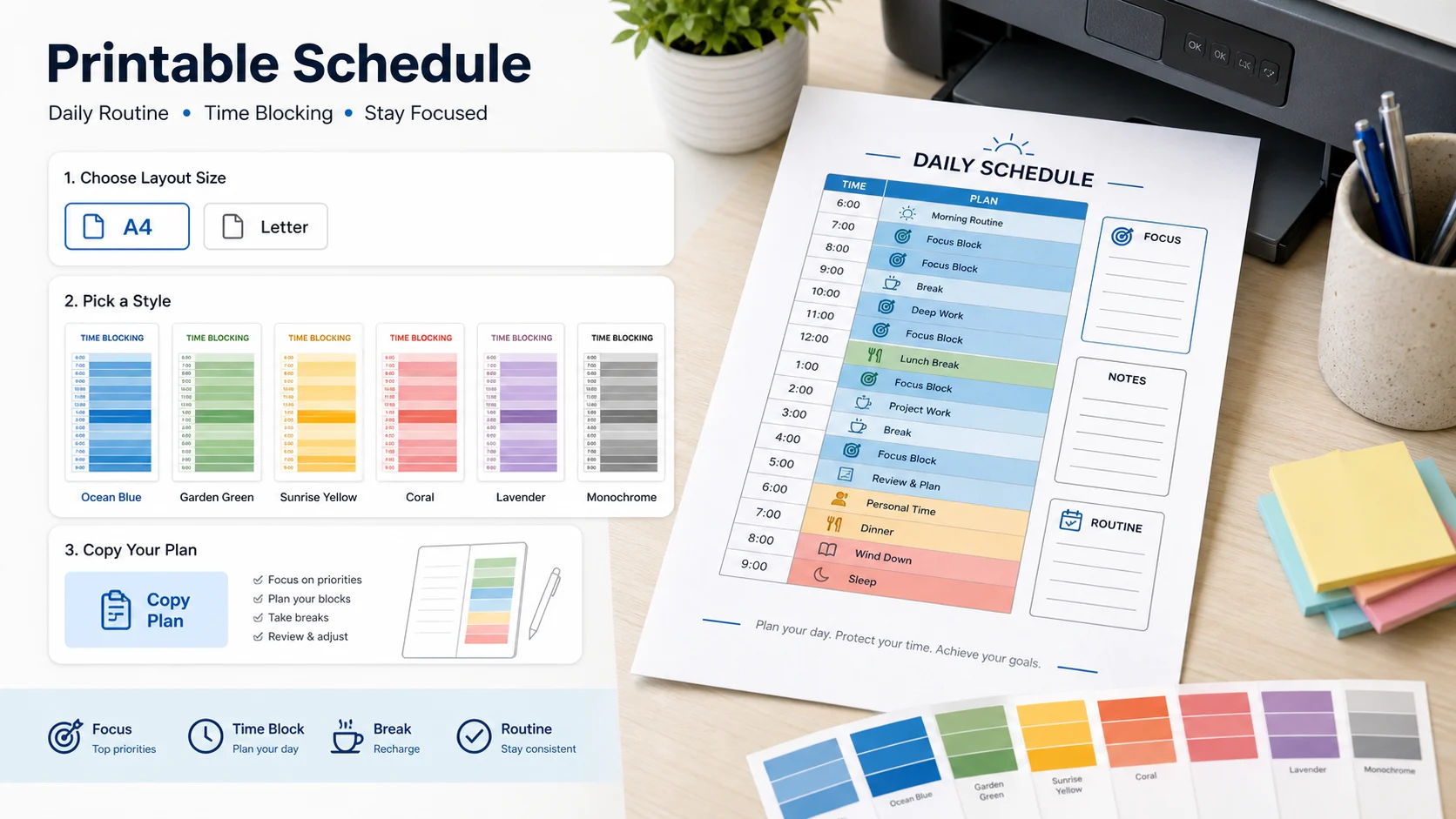
A blank template gives you boxes. This planner fills those boxes from your actual constraints.
The Daily Routine and Time Blocking Planner reserves simple morning and evening flows so the day has a clear start and close, not just scattered tasks.
Daily goals are assigned to focus blocks in open windows, with shorter tasks placed into shorter gaps when possible.
Choose a break rhythm and the Daily Routine and Time Blocking Planner inserts break time between focus blocks so the output is easier to follow.
No Google Calendar sync, reminders, accounts, long-term check-ins, or habit database. This is a local browser planner for quick daily and weekly planning.
Build a daily or weekly time block plan in three practical steps.
Add wake time, sleep time, work or class hours, and which days those commitments apply to. The Daily Routine and Time Blocking Planner uses these boundaries before it places any goals.
List appointments or commute blocks as fixed events, put one goal per line, then choose how often you want breaks. This gives the planner enough context to build useful time blocks.
Fixed events stay fixed. Goals move into open focus time.
Review daily time blocks, morning and evening routines, fixed events, free time, focus time, break time, task suggestions, a copy-ready schedule, and a printable timetable.
For best results, regenerate after changing your wake time, sleep time, or fixed events instead of trying to force an old routine into a new day.
Generate my routinePractical answers about privacy, printing, weekly planning, and what this local tool can and cannot do.
Yes. The Daily Routine and Time Blocking Planner runs in your browser. Your wake time, sleep time, goals, and fixed events are used on the page to generate the result; no account or calendar connection is required.
No. This tool intentionally does not sync Google Calendar, send reminders, or manage external calendars. It is for quick local planning, copying, and printing.
Yes. The generated result includes a morning routine section and reserves an early flow after wake time, so it works as a morning routine planner inside the broader daily schedule.
Yes. The Daily Routine and Time Blocking Planner adds an evening routine before sleep and keeps that wind-down time visible in the timetable.
Yes. Choose one week to generate seven day cards. Work or class days and fixed event day rules shape the weekly routine planner output.
Goals are placed into open focus blocks after fixed events and work or class time are reserved. If the day is crowded, the planner leaves remaining goals as suggestions instead of hiding the conflict.
Yes. After generating the plan, choose a colorful print style and use Print Timetable. You can also copy the schedule as plain text.
No. Long-term check-ins and habit databases need storage beyond a pure frontend page. This tool focuses on generating a useful routine for today or this week.
The Daily Routine and Time Blocking Planner is free, local, and ready for a one-day or one-week routine.
Enter your real constraints and leave with a copy-ready, printable time block plan.
Free - No sign-up - No calendar connection